
InsightsHealthcare
How to Build a Remote Patient Monitoring Platform (Complete Guide 2026)
Learn how to build a remote patient monitoring platform in 2026—features, tech stack, compliance, and costs explained.
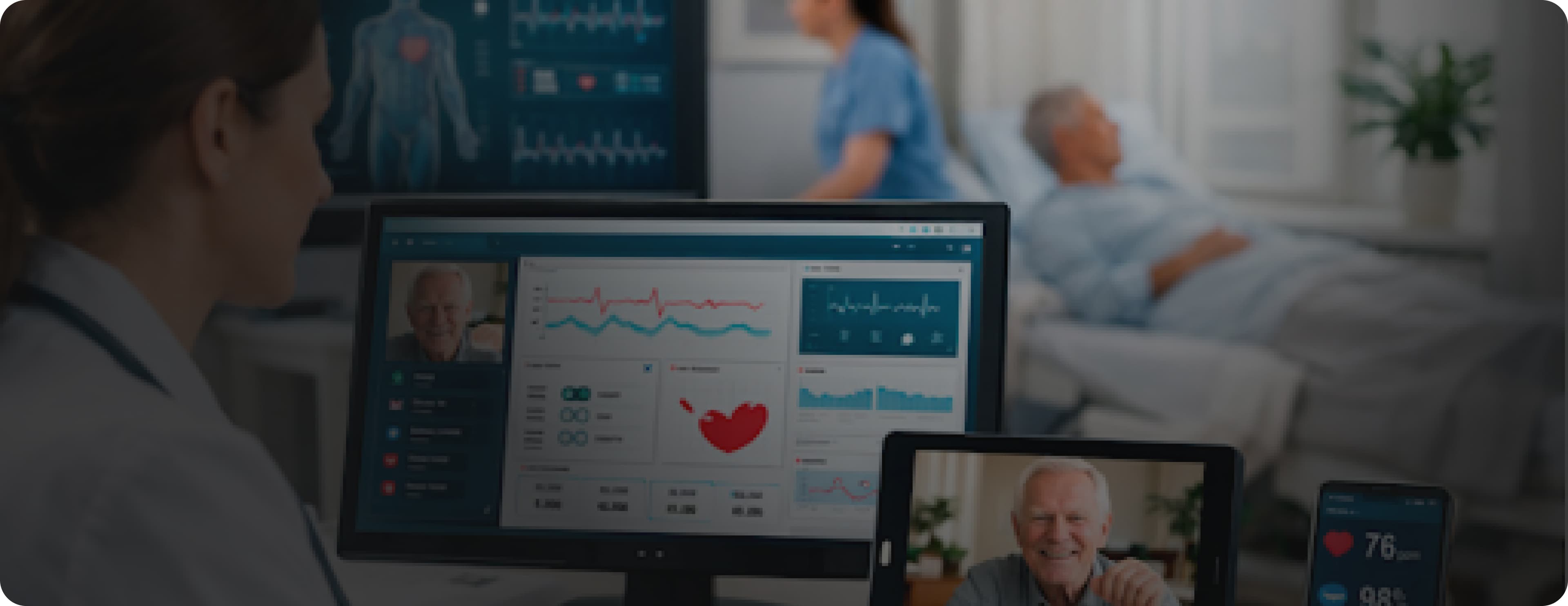
A patient leaves the hospital after a heart procedure. The doctor wants to monitor their recovery, heart rate, blood pressure, and oxygen levels, but the patient lives two hours away. Under the old model, this means frequent clinic visits, phone check-ins, and a lot of guesswork between appointments. This challenge is even greater for patients with chronic conditions who need ongoing follow-up long after discharge.
A remote patient monitoring solution changes this completely. The patient wears a small device at home. That device sends health data to the clinic in real time. If something appears to be wrong, the care team receives an alert and can act immediately before a minor issue becomes a serious one. As part of a structured RPM program, providers can track trends continuously instead of relying only on occasional in-person visits.
This is not a futuristic idea. In 2026, remote patient monitoring is one of the fastest-growing areas in healthcare technology. Clinics, hospitals, telehealth companies, and healthcare startups are all building these platforms because patients want care that fits into their lives, and providers need tools that let them deliver it. Demand is especially strong among organizations serving patients with chronic illnesses, where continuous monitoring can reduce complications and hospital readmissions.
This guide is for founders, product leaders, and healthcare entrepreneurs who want to understand what it actually takes to build a platform like this, from the features it needs to the technology that powers it, the compliance requirements that govern it, and the decisions that determine whether it succeeds.
Jump To Section
What Is a Remote Patient Monitoring Platform?
Why RPM Is Growing So Fast in 2026
Types of Remote Patient Monitoring Platforms
RPM vs Traditional Care Key Differences
Key Features Every RPM Platform Needs
How Data Flows in an RPM Platform
RPM Billing and Payments: What Developers Should Know
Technology Stack for Building an RPM Platform
How to Build a Remote Patient Monitoring Platform Step by Step
HIPAA Compliance and Data Security for RPM
How Much Does It Cost to Build an RPM Platform?
Real-World Case Studies: How Codieshub Built Healthcare Platforms
Common Mistakes to Avoid
How Codieshub Builds Healthcare Platforms
Frequently Asked Questions
What Is a Remote Patient Monitoring Platform?
A remote patient monitoring platform is software that collects health data from patients outside of a clinical setting, usually at home, and sends that data to healthcare providers in real time.
The platform connects three things. A device that the patient wears or uses at home, such as a smartwatch, a blood pressure cuff, a glucose monitor, or a pulse oximeter, which continuously captures important patient data from daily life. A mobile app or web portal that the patient uses to view their data, track progress, and communicate with their care team. A clinical dashboard that healthcare providers use to monitor patients, review data, and respond to alerts across a broader patient population in real time.
When all three work together well, a provider can monitor dozens or even hundreds of patients remotely, catching problems early, reducing hospital readmissions, and delivering a level of continuous care that was simply not possible before this technology existed.
Why RPM Is Growing So Fast in 2026
Remote patient monitoring has been talked about for years. What changed recently is that the technology, the regulations, and the payment models have all aligned in a way that makes it genuinely practical and financially viable. Providers can now collect real-time data from patients at home, making it easier to detect risks early, improve outcomes, and deliver proactive care at scale.
Chronic disease management is a massive problem. Conditions like diabetes, heart disease, hypertension, and COPD affect hundreds of millions of people worldwide. These patients need ongoing monitoring, but they cannot realistically visit a clinic every week. RPM lets providers monitor them continuously at a fraction of the cost of in-person visits.
Hospital readmissions are expensive. When patients are discharged without proper follow-up monitoring, they often return to the hospital within 30 days. Platforms that monitor patients after discharge have been shown to significantly reduce readmission rates, saving money for hospitals and improving outcomes for patients.
Patients want care that fits their lives. Driving to a clinic, sitting in a waiting room, and spending fifteen minutes with a doctor is not a good experience. Monitoring that happens in the background without disrupting daily life is something patients genuinely prefer.
Reimbursement has improved significantly. In the United States, Medicare now reimburses providers for RPM services under specific CPT codes 99453, 99454, 99457, and 99458. This has changed the financial equation for providers completely. They can now build RPM into their care model and get paid for it.
The addressable market is enormous. The global RPM market is projected to exceed $175 billion by 2030. For founders and healthcare entrepreneurs, this represents a significant opportunity, especially in underserved specialties and patient populations.
Types of Remote Patient Monitoring Platforms
Not all RPM platforms serve the same purpose. Understanding which type you are building shapes every product and technical decision that follows.
1. Chronic Disease Management Platforms
These platforms monitor patients with ongoing conditions, such as diabetes, hypertension, heart failure, and COPD, continuously over long periods. The goal is to catch deterioration early and adjust treatment before the patient needs emergency care. These are the most common types and have the largest addressable market.
2. Post-Discharge Monitoring Platforms
Designed to monitor patients after they leave the hospital. The focus is the critical 30-day window after discharge when readmission risk is highest. These platforms typically monitor vitals, medication adherence, and symptoms, alerting the care team if something suggests the patient is deteriorating.
3. Mental Health Monitoring Platforms
A growing category that tracks behavioral and psychological health indicators, sleep patterns, activity levels, mood check-ins, and physiological markers associated with anxiety or depression. These platforms combine wearable data with patient-reported outcomes to give mental health providers a more complete picture between sessions.
4. Maternal Health Platforms
Monitor pregnant patients between prenatal visits, tracking blood pressure, fetal movement, and other indicators that can signal complications early. Given the risks associated with conditions like preeclampsia, continuous monitoring between appointments can be genuinely life-saving.
5. Specialty-Specific Platforms
Built for a specific clinical specialty, oncology, nephrology, and cardiology, with monitoring parameters and workflows designed for that specialty's specific needs. These are typically sold directly to specialty practices or health systems.
RPM vs Traditional Care: Key Differences
Understanding how RPM differs from traditional care delivery helps you make better product decisions. Here is a clear comparison:
Traditional Care vs RPM Platform Comparison
Monitoring Frequency:
Traditional Care: During clinic visits only
RPM Platform: Continuous — 24/7Data Collection:
Traditional Care: Manual, during appointment
RPM Platform: Automatic, via devicesResponse Time:
Traditional Care: Next appointment
RPM Platform: Real-time alertsPatient Travel:
Traditional Care: Required
RPM Platform: Not requiredCost Per Interaction:
Traditional Care: High
RPM Platform: Significantly lowerEarly Detection:
Traditional Care: Limited
RPM Platform: Strong catches trends earlyPatient Engagement:
Traditional Care: Low between visits
RPM Platform: Ongoing daily engagementGeographic Reach:
Traditional Care: Limited to clinic proximity
RPM Platform: Nationwide or global
This key difference makes clear why RPM is not just a nice-to-have feature for chronic disease management; it is a fundamentally better model of care delivery.
Key Features Every RPM Platform Needs
Regardless of which type of platform you are building, certain features are essential. These are the things patients and providers need the system to do.
1. Device Integration and Data Collection
The platform needs to connect with wearable devices and medical equipment that patients use at home. This means supporting Bluetooth and cellular-connected devices, handling data in multiple formats from different manufacturers, and making device setup simple enough for any patient without technical support.
2. Real-Time Data Transmission
Health data collected from patient devices needs to reach the clinical dashboard quickly, ideally within seconds, certainly within minutes. A blood pressure reading that arrives six hours after it was taken is far less useful than one that arrives in real time.
3. Clinical Dashboard for Providers
The dashboard that healthcare providers use every day needs to be genuinely easy to use. It should show patient data clearly, surface alerts immediately, allow providers to view trends over time, and make it easy to take action. This is where UI/UX design has a direct impact on clinical outcomes. A dashboard that is cluttered or confusing will not get used consistently.
4. Patient Mobile App
The patient-facing app needs to be simple enough for elderly patients with limited technology experience. It should show patients their own health data in plain language, send reminders for measurements, allow patients to report symptoms, and make messaging with the care team easy.
5. Automated Alerts and Notifications
The platform should automatically alert care teams when a patient's readings fall outside defined thresholds. These alerts need to be specific enough to be actionable and filtered enough not to create alert fatigue, a situation where providers receive so many notifications that they start ignoring them.
6. Secure Messaging
Patients and providers need a way to communicate through the platform without using unsecured channels like personal email or text. Secure messaging built into the platform keeps clinical communication in one place and ensures it is logged and compliant.
7. EHR Integration
For the RPM platform to fit into existing clinical workflows, it needs to connect with the healthcare provider's electronic health record system. Patient monitoring data should flow into the patient's record automatically so providers do not have to manually transfer data between systems.
8. Patient Reported Outcomes
Beyond device data, the platform should allow patients to report symptoms, pain levels, medication adherence, and quality of life indicators through structured questionnaires. This gives providers a more complete picture than device readings alone.
9. Billing and Reimbursement Tracking
For providers in the United States, Medicare reimburses RPM services under specific billing codes. A platform that automatically tracks the data needed for billing — time spent on monitoring, number of readings collected, days of monitoring — adds significant practical value and makes financial compliance straightforward.
10. Reporting and Analytics Dashboard
Both providers and healthcare organization managers need visibility into platform performance, patient engagement rates, alert frequency, most common readings, and readmission trends. A clear reporting layer makes this visible and actionable.
How Data Flows in an RPM Platform
Understanding how data moves through an RPM system helps you make better architecture decisions.
RPM Workflow (Step-by-Step Process)
Collection: A patient measures their health at home using a connected device (e.g., blood pressure cuff, glucose meter, or wearable). The device records the reading.
Transmission: The reading is sent from the device to the patient’s smartphone via Bluetooth or directly to the cloud via cellular connection. Data is encrypted for security.
Processing: The platform receives the data, validates it, stores it, and processes it. It checks whether the reading is within or outside defined thresholds.
Alerting: If the reading is abnormal, an alert is generated and sent to the care team via the dashboard and notifications. Normal readings are stored for tracking.
Review: The care team reviews patient data through the clinical dashboard, either after an alert or during scheduled checks.
Action: The provider takes action such as messaging the patient, making a call, adjusting treatment, or escalating care if needed.
Documentation: All activities, reviews, and actions are recorded for clinical documentation and billing purposes.
Understanding this seven-step flow makes it clear where the critical technical requirements are: real-time transmission, reliable alerting, accurate documentation, and a dashboard that makes reviewing data fast.
RPM Billing and Payments: What Developers Should Know
This is one of the most important and most overlooked areas when building an RPM platform for the US market. Providers need to get paid for the monitoring they provide, and the platform can either make this easy or make it painful.
Key Medicare CPT Codes for RPM
CPT Code: 99453
Description: Initial setup and patient education
Payment: ~$19 (one-time)CPT Code: 99454
Description: Device supply with daily data transmission (30 days)
Payment: ~$64 per monthCPT Code: 99457
Description: First 20 minutes of clinical staff monitoring
Payment: ~$50 per monthCPT Code: 99458
Description: Each additional 20 minutes of monitoring
Payment: ~$41 per month
What This Means for Your Platform
Your platform needs to automatically track and document the data that justifies these billing codes, including the number of days with at least one reading transmitted, total clinical staff time spent reviewing data, and patient education sessions completed.
If the platform doesn't make this tracking automatic, providers have to do it manually, which creates an administrative burden and billing errors. Platforms that automate billing documentation get adopted by providers. Platforms that don't create extra work and get replaced.
Building billing support into the platform from the beginning, not as an afterthought, is one of the most important product decisions you will make for a US-focused RPM platform.
Technology Stack for Building an RPM Platform
Choosing the right technology stack requires balancing real-time data requirements, device compatibility, security, and compliance.
1. Mobile App Patient-Facing
React Native is the best choice for most RPM mobile apps. It allows you to build a single codebase that runs on both iOS and Android, significantly reducing development time and cost. For patients, the app needs to be fast, simple, and reliable.
2. Web Application Clinical Dashboard
React with Next.js is the standard for clinical dashboard development. React's component-based architecture makes it easy to build the complex, data-rich interfaces that clinical dashboards require.
3, Backend
Node.js or Python with FastAPI or Django are both strong choices. Python has a significant advantage if your platform includes machine learning features, predictive alerting, anomaly detection, or trend analysis, because its ecosystem for data science is unmatched.
For platforms that process continuous streams of device data, a message queue system, such as Apache Kafka or AWS SQS, between the data ingestion layer and the processing backend helps handle high data volumes reliably.
4. Database
PostgreSQL for structured patient and clinical data. InfluxDB or TimescaleDB for time-series health metrics, these databases are specifically designed for timestamped, continuous data that RPM platforms generate and need to query efficiently.
5. IoT and Device Connectivity
AWS IoT Core or Google Cloud IoT are the most common choices for managing device connections at scale. These services handle the complexity of connecting thousands of devices, managing certificates, and routing data correctly.
6. Cloud Infrastructure
AWS is the most common choice for healthcare platforms in the United States because of its extensive HIPAA-eligible service catalog. You will specifically need HIPAA-eligible managed database services, encrypted storage, and secure networking.
7. AI and Machine Learning
Integrating AI and ML solutions into an RPM platform enables predictive models that identify patients whose readings are trending toward deterioration before they cross alert thresholds. Anomaly detection can flag unusual patterns that fixed thresholds would miss. These features require historical patient data to train on at least six months of live data.
How to Build a Remote Patient Monitoring Platform Step by Step
Step 1: Define Your Patient Population and Clinical Use Case
Be clear about exactly who you are building for and what clinical problem you are solving. An RPM platform for managing diabetes in elderly patients looks very different from one designed to monitor post-surgical recovery. Define your primary patient population, their conditions, their technology comfort level, and what devices they are likely to use.
Step 2: Run a Discovery Sprint
Before any development begins, invest in a structured discovery process. Map your clinical workflows, define your device integration requirements, choose your architecture, and validate your approach with both patients and clinicians before building anything.
At Codieshub, our MVP and product strategy process starts with this discovery phase. For HIPAA-regulated platforms, getting architecture decisions right before development begins is essential; wrong decisions here are expensive to fix later.
Step 3: Design the Patient Experience First
The most common reason RPM platforms fail is patient experience not clinical value. If patients find the app confusing, device setup frustrating, or the daily routine burdensome, they stop using it.
Design the patient-facing app with the assumption that your least tech-savvy patient will be using it alone, without help, possibly with vision or dexterity limitations. Our UI/UX design process includes testing with real patients from the target population because assumptions about how patients will use healthcare apps are almost always wrong until tested.
Step 4: Build the Core Data Pipeline First
Before building the patient app or clinical dashboard, build the data pipeline the system that collects data from devices, transmits it securely, processes it, and stores it. Get data flowing reliably and securely before adding features on top.
Step 5: Build the Clinical Dashboard
Once data is flowing reliably, build the clinical dashboard. Work directly with clinicians during this process, show them early versions, watch how they use the interface, and iterate based on what you observe. Clinicians have specific workflows that cannot be accurately guessed by a development team that hasn't watched real clinicians work.
Step 6: Build the Patient Mobile App
Build the patient app after the core data pipeline is working. Start with a minimum functionality device pairing, data submission, and basic readings history. Launch to a small group of patients and gather feedback before adding features.
Step 7: Integrate With EHR Systems
EHR integration is complex and time-consuming, but essential for clinical adoption. Build a clean integration layer using custom web development and standard interoperability protocols. HL7 FHIR is the current standard for healthcare data exchange.
Step 8: Add Billing Documentation Features
Build automated tracking of the data providers' needs for CPT code billing, including days of monitoring, time spent reviewing, and patient education sessions. This is what makes the platform financially sustainable for providers and separates platforms that get adopted from those that get replaced.
Step 9: Launch With a Pilot Group
Before a broad launch, run a structured pilot with a small group of patients and a limited number of providers. Use the pilot to identify and fix issues before they affect a larger patient population.
Step 10: Iterate Based on Clinical Outcomes
After launch, measure what matters: clinically readmission rates, patient engagement consistency, provider response times, and alert accuracy. Use these outcomes to guide product decisions and demonstrate value to new clinical partners.
HIPAA Compliance and Data Security for RPM
Any platform that handles patient health data in the United States must comply with HIPAA. For RPM platforms, this is more complex than for standard healthcare software because data is being transmitted from devices in patients' homes across multiple systems.
Encrypt Everything: All health data must be encrypted in transit and at rest. This is a baseline requirement, not an advanced feature. Device-to-app communication, app-to-cloud transmission, and stored patient records all need encryption.
Control Access Carefully: Role-based access control ensures providers can only see patients in their care, and patients can only see their own information. Access logs must record who accessed what data and when. This is both a compliance requirement and a practical security control.
Sign Business Associate Agreements: Every third-party service that processes or stores patient data, cloud provider, notification service, or analytics platform must sign a Business Associate Agreement with you. AWS, Google Cloud, Twilio, and most major healthcare-compatible services offer BAAs.
Audit Everything: Maintain detailed logs of all data access and system events. These logs are essential for HIPAA compliance investigations and for identifying security incidents before they become breaches.
Plan for Data Breaches: HIPAA requires covered entities to have a breach notification plan. Know what you will do if patient data is exposed, who to notify, in what timeframe, and how to document the incident.
Building HIPAA compliance into the architecture from the beginning is significantly cheaper than retrofitting it later. This applies to device communication protocols, data storage architecture, access control systems, and third-party service selection.
Real-World Case Studies: How Codieshub Built Healthcare Platforms
Theory is useful. Proof is better. Here are two real healthcare platforms that Codieshub built, each one illustrating a different dimension of what building compliant, clinically useful healthcare technology actually looks like in practice.
mPATH Health: 70,000+ Patients Served, 70% Workflow Friction Reduced
Industry: Healthcare | Services: SaaS Solutions, Custom Web Development, UI/UX Design
The Problem
Millions of Americans miss critical cancer screenings due to broken outreach systems, not a lack of medical science. Dr. David Miller and Dr. Ajay Dharod at Wake Forest School of Medicine developed mPATH Health to connect high-risk patients with care. After a successful pilot, they needed to scale it into a national platform.
Key challenges included building a secure, HIPAA-compliant system outside traditional EMR complexity, with zero friction, no apps, no passwords, and no complicated logins, while still handling rapid growth.
What Codieshub Built
Codieshub redesigned the system with a cloud-native, automated architecture. Patients receive a simple text message that opens a secure web experience with risk assessments and educational content, no login barriers or app installs required.
We also built a fast DevOps pipeline, allowing new hospital systems to onboard in days instead of months, making scaling much faster and more efficient.
The Result
The platform scaled from a pilot to a national solution, helping over 70,000 patients complete cancer screenings. It significantly reduced workflow friction (nearly 70%) while generating millions in revenue for health systems.
Common Mistakes to Avoid
Designing for the Least Tech-Savvy Patients: Design for elderly and chronically ill users, not just average users. Simple for devs can still confuse real patients.
Dashboard Before Data Pipeline: Ensure data flows reliably first; dashboards are useless without accurate data.
Device Integration Complexity: Multiple devices mean different protocols and formats, requiring more time and effort than expected.
Alert Fatigue: Too many alerts reduce attention; use smart, filtered, and customizable notifications.
Missing Billing Features: Manual billing documentation leads to inefficiency; automation is essential from the start.
Skipping Pilot Phase: Large-scale launches without pilots create costly, hard-to-fix problems.
Treating HIPAA as a checkbox: Compliance impacts full system design, not just final checks.
Not Testing With Real Patients: Real user testing is essential; assumptions often fail in practice.
How Codieshub Builds Healthcare Platforms
At Codieshub, we build healthcare software that ships on time, performs under real clinical load, and stays compliant as regulations evolve. Here is how we approach RPM platform development:
1. Discovery Before Development: Structured MVP discovery maps workflows, defines integrations, and validates with real users before coding starts.
2. Design That Patients Actually Use: UI/UX is tested with real patients to ensure adoption and avoid post-launch usability issues.
3. AI That Improves Clinical Outcomes: AI models provide predictive alerts, anomaly detection, and actionable clinical insights beyond basic thresholds.
4. Compliant Architecture From Day One: HIPAA compliance is built into data, access, devices, and third-party systems from the start.
5. Full-Stack Development Under One Roof: End-to-end development includes integrations, dashboards, apps, and data pipelines without handoff gaps.
Long-Term Partnership: Continuous support to adapt to new devices, regulations, and evolving clinical needs after launch.
Get a Free Project Estimate. Tell us about your RPM platform, and we'll send you a tailored game plan within 48 hours.
Frequently Asked Questions
1. What is a remote patient monitoring platform?
A remote patient monitoring platform is software that collects health data from patients at home through connected devices like blood pressure cuffs, glucose meters, and wearables, and transmits that data to healthcare providers in real time. It allows care teams to monitor patients continuously between clinic visits, catch problems early, and act before small issues become serious ones.
2. What Medicare billing codes apply to RPM services?
The primary Medicare CPT codes for RPM are 99453 for initial setup and patient education, 99454 for device supply with daily transmission over 30 days, 99457 for the first 20 minutes of clinical staff monitoring per month, and 99458 for each additional 20 minutes. Building automated tracking of these billing requirements into the platform is essential for provider adoption in the US market.
3. Does an RPM platform need to be HIPAA compliant?
Yes, without exception. Any platform that handles patient health data in the United States is subject to HIPAA. This means encrypting all data in transit and at rest, implementing role-based access controls, maintaining audit logs, signing Business Associate Agreements with all third-party services that touch patient data, and having a breach notification plan in place.
4. How long does it take to build a remote patient monitoring platform?
A basic MVP with a single device integration, patient app, and clinical dashboard typically takes 10 to 16 weeks. A mid-level platform with multiple devices, automated alerts, and a patient app takes 4 to 8 months. A full platform with EHR integration, AI-powered alerts, and billing documentation can take 8 to 14 months or more, depending on complexity.
5. What devices does an RPM platform need to support?
This depends entirely on your clinical use case. A cardiac platform primarily needs blood pressure cuffs and pulse oximeters. A diabetes management platform needs continuous glucose monitors. Start with the devices most commonly used by your target patient population and expand from there based on real clinical demand.
6. How does EHR integration work for RPM platforms?
EHR integration allows monitoring data to flow automatically into the patient's clinical record in the provider's existing EHR system. This is done through API connections using HL7 FHIR, the current standard for healthcare data exchange. Complexity depends on which EHR system is being connected and the quality of its API documentation and support.
7. What is alert fatigue, and how do I avoid it?
Alert fatigue happens when a monitoring system generates so many notifications that providers start ignoring them, which defeats the purpose of monitoring. Avoid it by designing alert thresholds carefully for each patient individually, filtering alerts by clinical urgency, and allowing providers to customize alert preferences. The goal is actionable alerts, not comprehensive ones.
8. Can I build an RPM platform as a SaaS product for multiple healthcare providers?
Yes, and this is the most scalable approach. A multi-tenant SaaS solution architecture allows you to serve multiple healthcare providers from a single platform, with each provider's patient data isolated and secure. This requires more upfront architectural investment but delivers significantly better unit economics at scale.